

It’s often helpful to be able to determine whether a particular resource instance is compliant with a given profile or profiles – including the the core profiles defined in the FHIR specification.
The FHIR project has provided validation functionality that can be used for this. It can be downloaded from the spec and has also been incorporated into a number of the on-line reference servers. This post describes a simple app that acts as an interface to these servers.
There is a separate page that describes the application but briefly it works as follows.
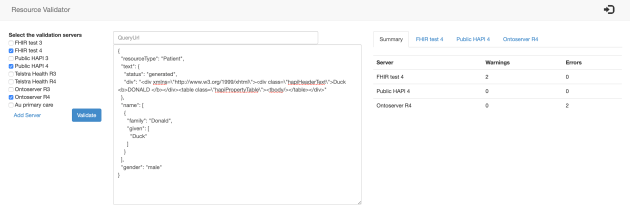
- Start the app (there is a link from the clinFHIR main page – at the bottom on the left)
- Past the resource you want to validate into the text box – or enter a url to the resource and load it from there
- Select the server/s you wish to use to perform the validation. As there can be differences in validate implementation, it is possible to select multiple servers and all will be used to perform the validation
- Click the ‘Validate’ button, and the results will be shown in tabs on the right.
Here’s an image of the app with a validated resource. Details of the errors will be in each server tab.

There’s more detail in the documentation.