In the last post we took a look at the new clinFHIR Questionnaire Viewer – a tool that takes any R4 Questionnaire and provides a number of views of them including rendering them in the CSIRO form renderer via the Fhirpath lab.
Since that post there have been a number of upgrades – most specifically in the way in which a Questionnaire can be selected. Let’s take a look at those options.
In the last post we looked at enhancements that were made to an existing clinFHIR module – the Bundle Viewer. Now let’s take a look at a new module – the Questionnaire Viewer. This was developed as part of the CanShare project in New Zealand and made available to clinFHIR for more general use. It’s still under development (of course 🙂 ), but the current version can be viewed in the clinFHIR test environment here.
Using the same integrations (using SMART web messaging) it can execute SDC based form pre-population, retrieve the QuestionnaireResponse and perform resource extraction, displaying the results within the app or passing it to Bundle Viewer for more detailed inspection of the extracted bundle
Let’s do a quick run through showing this end to end.
The Bundle Visualizer module in clinFHIR has been around for a while. It allows you to view the contents of a FHIR bundle in a number of ways, and can also validate the contents. As part of a general update to clinFHIR that I’m working on, I’ve taken the opportunity to ‘refurbish’ and rename it to Bundle Viewer. This post describes the main changes.
So I’ve finally migrated clinFHIR to using https rather than plain old http. It’s something I’ve meant to do for a while, but it wasn’t without issues!
I decided to use nginx as a reverse proxy to manage the interface, and also took the opportunity to rationalize the servers – they’ve proliferated over the years! (and cost more than they really need to 🙂 ). chatGPT was a real help!
clinFHIR itself should work pretty much as it did before – though I did note that my browser did seem a little confused initially – I needed to clear the browser cache, so if you are having issues then that is probably a good idea.
One consequence of the migration is that clinFHIR cannot access non-https servers as it is a single page application – the http request comes from the browser which won’t allow a secure site to access a non-secure site. I don’t believe that will be an issue these days, but do reach out if it is a problem for you. I could proxy the call through the clinFHIR server if needed.
Graphbuilder (gb2.clinfhir.com) was a little more challenging. I got nginx set up ok, but after doing so, I realized that all my graphs had gone! They are saved in the local browser cache (unless they’ve been copied to the library) and the secure site was unable to access them from the non-secure site. This is by design, so there’s nothing I can do to change that.
After some thought, I’ve set up a different site at gb.clinfhir.com which has the same app, just served over https. For new users this is the site to use, but if you have existing graphs then you’ll need to continue to use gb2.clinfhir.com for the moment.
I’ll work on the migration strategy – at this time I’m thinking a file download / upload will be the easiest, but will post again when it’s all running. I’ll probably take the opportunity to tidy up the graph builder library – something else I’ve been meaning to do for a while.
In summary:
clinfhir.com should work as before – just over https
gb2.clinfhir.com should also work as before – still using http with existing graphs present
gb.clinfhir.com is a copy of gb2 but served over https and no existing graphs
I will post again when the migration strategy is complete – hopefully within the next couple of weeks.
Do reach out on the fhir chat if you have any issues or concerns.
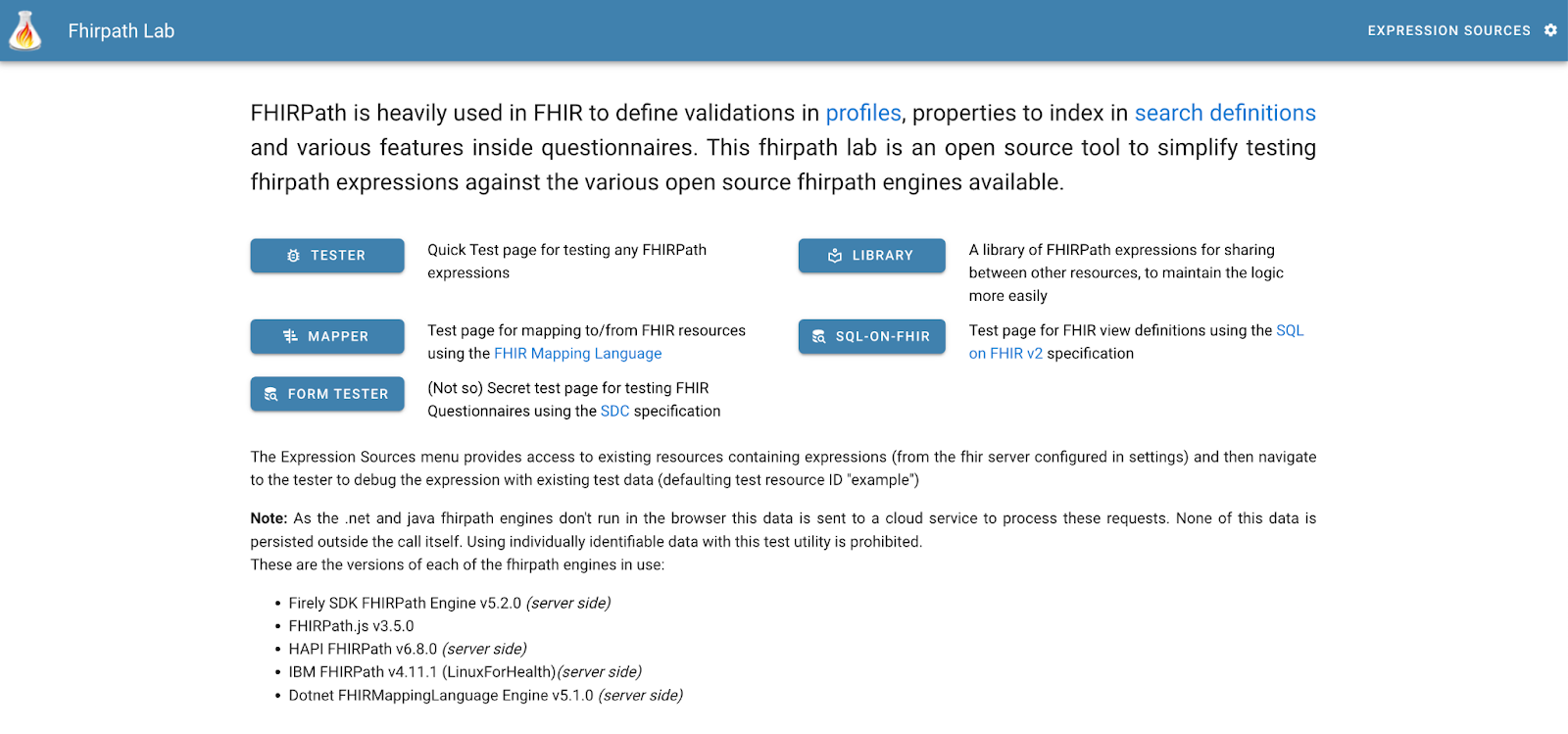
The tester is part of a suite of tools that started with a focus on providing an app that helps people build FHIRPath expressions – then branched out from there (as these things tend to do).
Here’s a screenshot of the front page:
In this post we’ll be focussing on the Form Tester – we can look at some of the other modules in subsequent posts. At a high level, the forms tester allows you to import a Questionnaire resource and then use a number of different renderers to actually display the form.
Various functions then allow you to validate it, view the forms output (as QuestionnaireResponse resources), edit it, dig into the details of fhirpath expressions within it that are used for the more dynamic aspects to the Questionnaire.
Right now there are 2 renderers supported – the CSIRO one and one from the National Library of medicine (which was added during the connectathon), both of which are open source. But there’s no real limit to the number of renderers that could be supported – if you have one, then contact Brian to get yours installed as well.
And this highlights for me the key value add of the tool from the aspect of a Questionnaire designer – you can write (or generate) a Questionnaire then see how the different renderers display it. Of course, it also supports validation including aspects specific to forms generation. And you can make alterations to the Questionnaire (including the internal expressions) from within the tool and instantly see the effect on the form, as well as debugging the internals of the more complex forms – eg those that use expressions to pre-populate the form or create content from what has been entered. Powerful stuff.
Another useful aspect is that the tool can take the QuestionnaireResponse generated by the renderer and display it as well, along with any variables and other internal workings of the renderer.
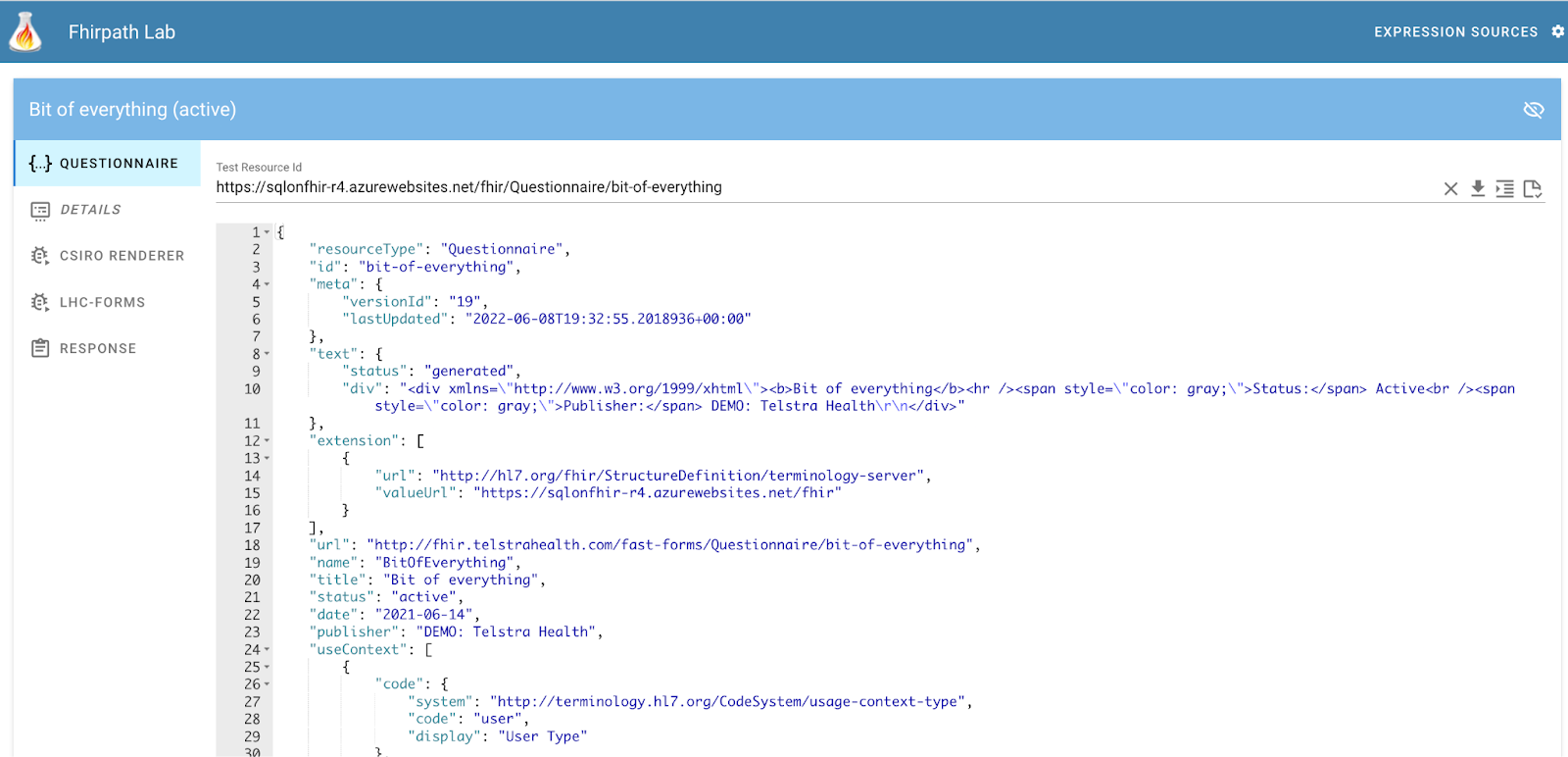
When you load the forms tester, you get this interface. Of course, depending when you read this article the UI will very likely have changed, but should be easy to follow.
The first tab display the Questionnaire resource.
There’s an initial Questionnaire displayed – to load your own one there are a number of ways:
You can paste it directly into the panel
Enter the full url to the Questionnaire in the Test Resource Id field, then click the download button to load the resource
Note that the term ‘id’ is used to mean the full location of the Questionnaire as can be seen in the screenshot above. This is because the Questionnaire has a canonical url, so the term ‘url’ is a bit ambiguous
There’s also an API that allows you to invoke the tool, specifying the Questionnaire to use. It has the format:
Where {pathToQ} is the full resource url (as an absolute FHIR resource ID, not canonical URL) where the Questionnaire can be retrieved. As in the UI, the parameter name is not ‘url’ as that is commonly used to refer to the canonical url of the Q, so could be confusing. For me, this is one of the most compelling features as I’m developing an app that can generate Questionnaires from an underlying data model so it means I can have a button in my tool that says ‘Preview Q’ and invoke the tester app directly.
As a technical side note, my approach using the API was to save the Q in the public HAPI endpoint first, then call the tester with the url to the Q in HAPI.
Once loaded, the UI has 2 panes. Along the left side are a number of tabs that display content in the right panel.
The Questionnaire tab displays the Q being used. As stated above it is editable, which is especially handy if you want to make a change then instantly see the effect in the various renderers.
At the top right are a number of icons.
The X tab clears the resource id field at the top of the screen so you can enter another
The arrow down icon downloads the Questionnaire to the tool and displays it in the UI
The ‘indent’ icon formats the Questionnaire nicely
The last icon (a document with a tick) is the Validate function. Clicking this will perform a validation to be performed, with the results being shown in a debug tab that appears. In some cases you can go directly to the part of the Questionnaire that is causing the issue, though this is not always possible.
The Details tab shows the ‘meta’ information about the Q – name, title, purpose, context of use and so forth
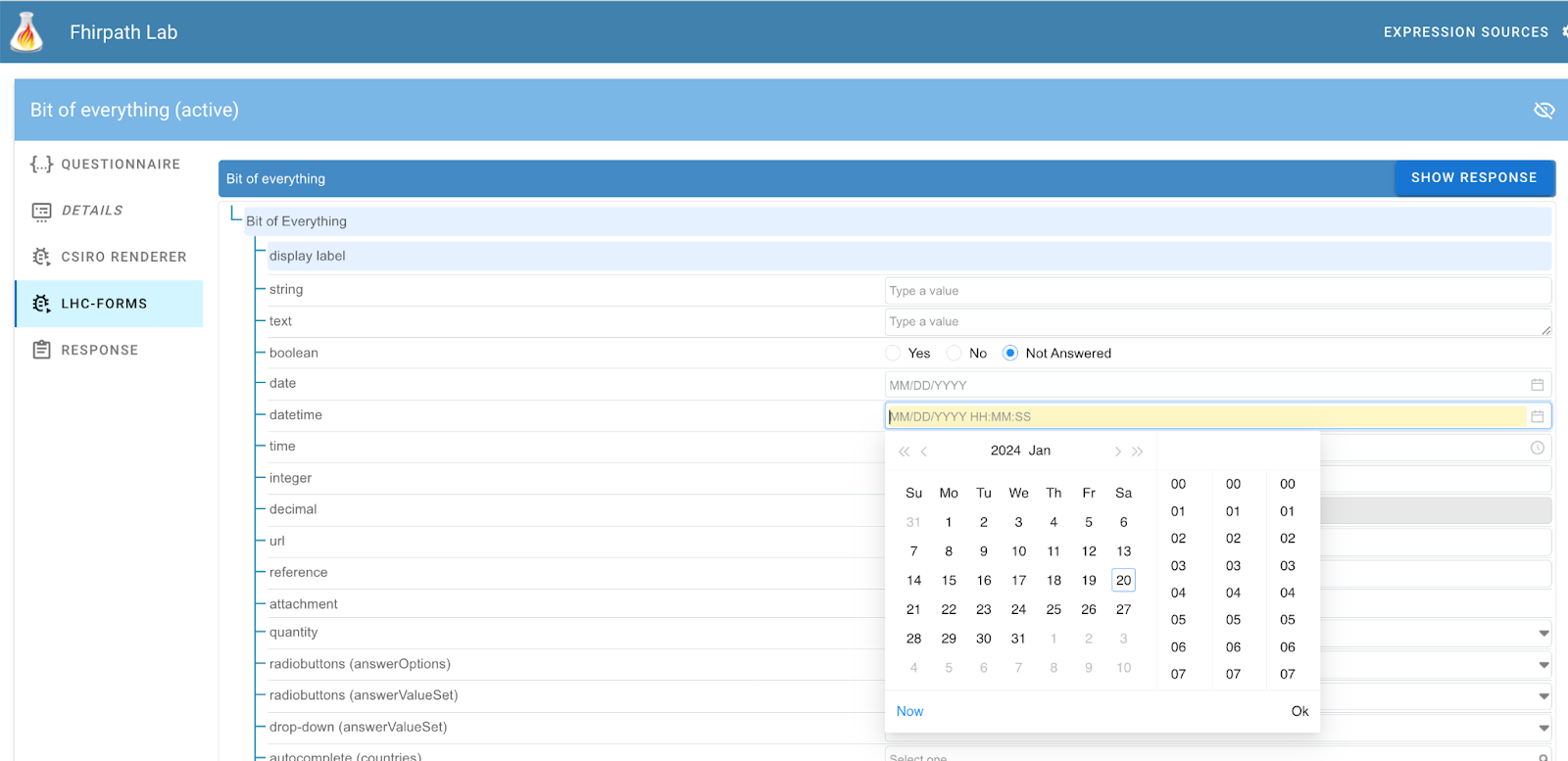
Then there is a tab for each of the supported renderers. Each will display the rendered document to the right.
As stated above, the tool has been designed to incorporate multiple renderers – contact Brian if you have one that is a candidate – you’ll be very welcome!
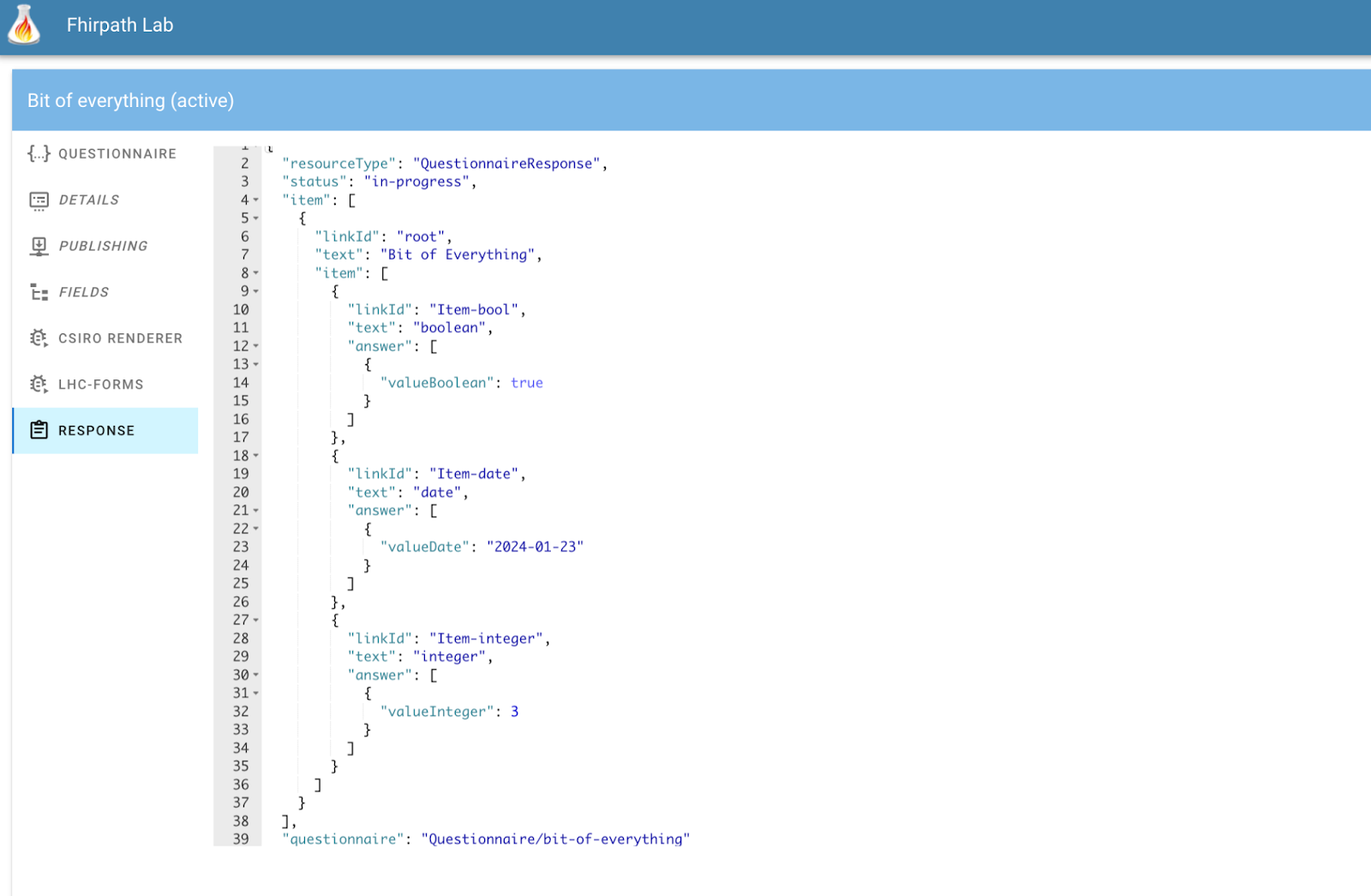
The response tab shows the QR generated by the renderer. To display content, click the ‘Show Response’ button that appears to the top right of each rendered form. This will then show the generated QuestionnaireResponse from the renderer in the tab. You’ll need to re-click the ‘show response’ button to re-create this content if you make changes in the form..
At the moment the tool does not support pre-population of the form from a FHIR server, though that’s on the roadmap.
So that’s an overview of what is an extremely useful tool for Questionnaire developers. There’s more that it can do – especially for the more complex forms with expression based business logic – we’ll talk more about that later – once I’ve worked it out myself!
So I’ve written an earlier post describing how you can use the excellent HAPI FHIR engine to host your own FHIR server. This used the CLI (Command Line Interface) tool, and has worked well for me in the past – for example most of the clinFHIR modules have used this as the back end storage.
However, this is definitely only useful for development and testing, and recently there have been some issues running the more recent versions of the CLI so I decided to take a closer look at other options – in particular using Docker to host the server.
Recently I was asked by a local vendor what was the best way to record a recall in a Practice Management System (PMS).
As background, in New Zealand (and likely elsewhere) it is common for a Primary Care Practitioner (what we call a General Practitioner) to create a ‘recall’ for a patient. These are essentially reminders that a patient needs a follow up for some purpose within some time frame.
Examples of recalls include:
The patient has a mildly abnormal blood test – not worth acting on immediately, but should be checked again in a month or so to see if it is changing
A mildly elevated blood pressure was taken during a routine visit. Again, not high enough to consider treating immediately, but should be checked in a month or so.
The patient is eligible for a screening program – such as a cervical smear – and needs to have one performed in 2 years time
A child due for their scheduled immunization
An elderly person is not coping at home – have the nurse contact them in a week to see how they are going
In this set of posts we’re going to dig into how FHIR supports the use of forms in collecting information.
We’ll start with the theory – how the Questionnaire and QuestionnaireResponse resources work together to define a form and record the information entered into the form (whether directly by the user or pre populated from existing data) and then describe an example implementation that we’ve built in clinFHIR.
To help support people building R5 examples for connectathon, I’ve added the ability to select the version of FHIR to use for the graph. Currently the R4 and R5 draft release are supported (as these are the versions that sushi supports).
 to load the resource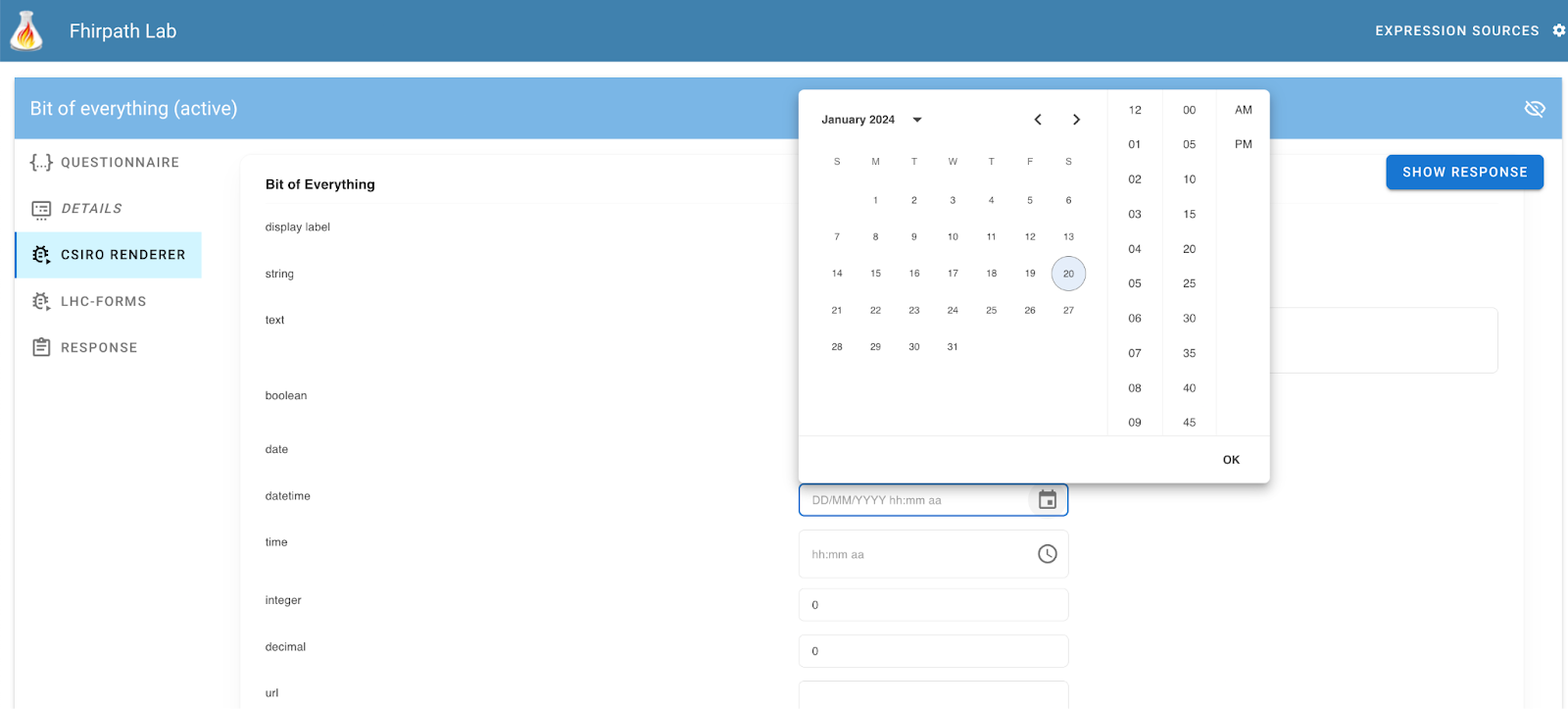
Recent Comments